
We supply the platform, your team makes the training.
Turn a brief or the documents you already have into interactive modules with a presenter, branching questions, timers and a pass mark. Deliver them on your own website, at your-name.reigniter.ai, by link or as SCORM 1.2, issue your own certificates, and render every module in the languages your people speak.
Docs in. Trained team out.
No LMS? You do not need one.
- Invite learners by name, or import them from a spreadsheet
- One attempt, a timer and a pass mark per module
- See who is watching right now, and every result
- Printable certificates, and results as CSV
Real training, by industry.
Each tab is a module built in the editor — presenter, slides, voice and a checkpoint — then exported. Hover a tab to read what it teaches.
Spot a phishing email: a presenter-led module with a checkpoint question, sent to your LMS as SCORM.
The studio and the player are real product — not a mockup reel.
Screens from the training editor and a finished module your team would ship to learners.
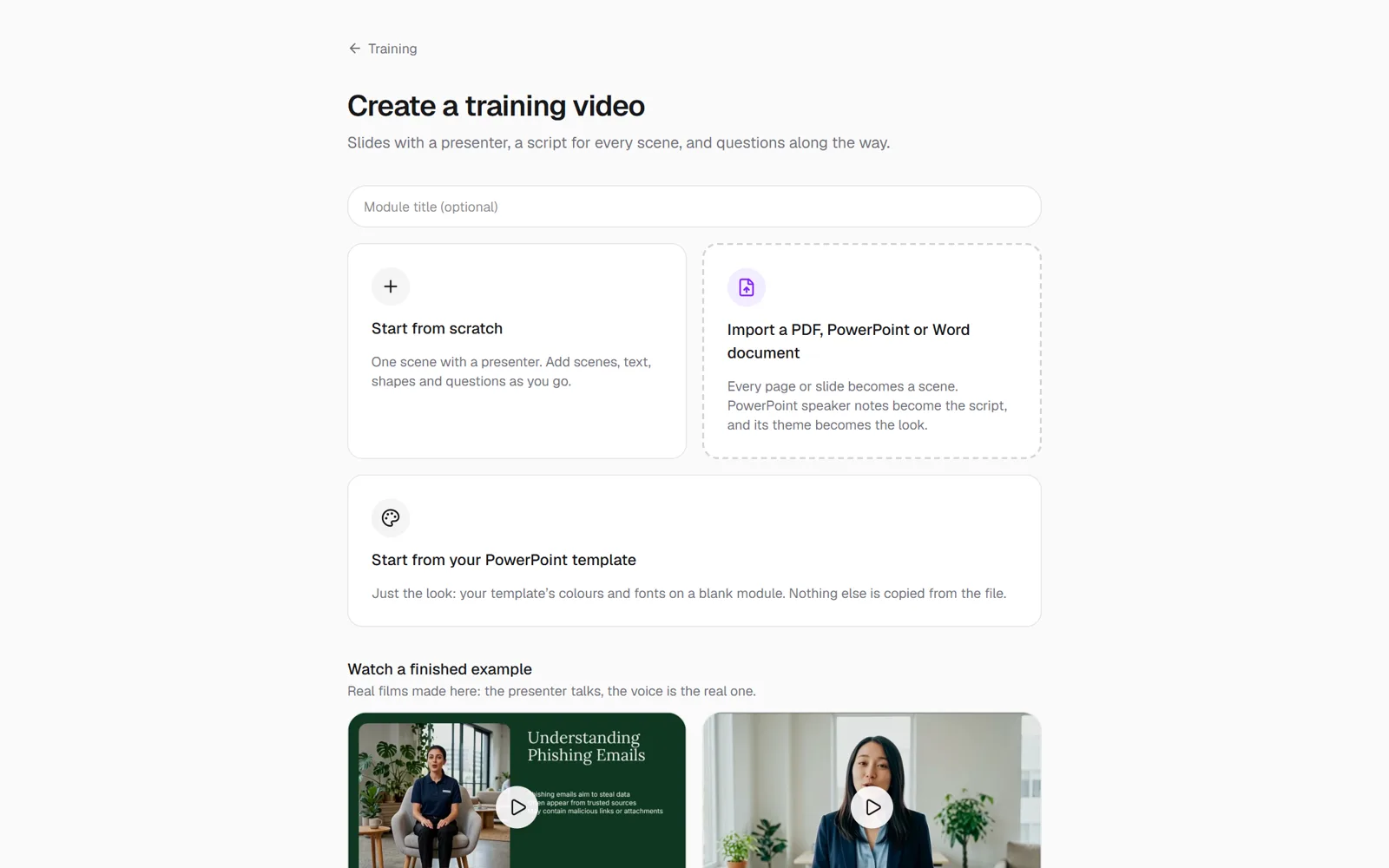
Start from your material
Import the PDF, deck or policy you already have, or lay out a module from scratch.
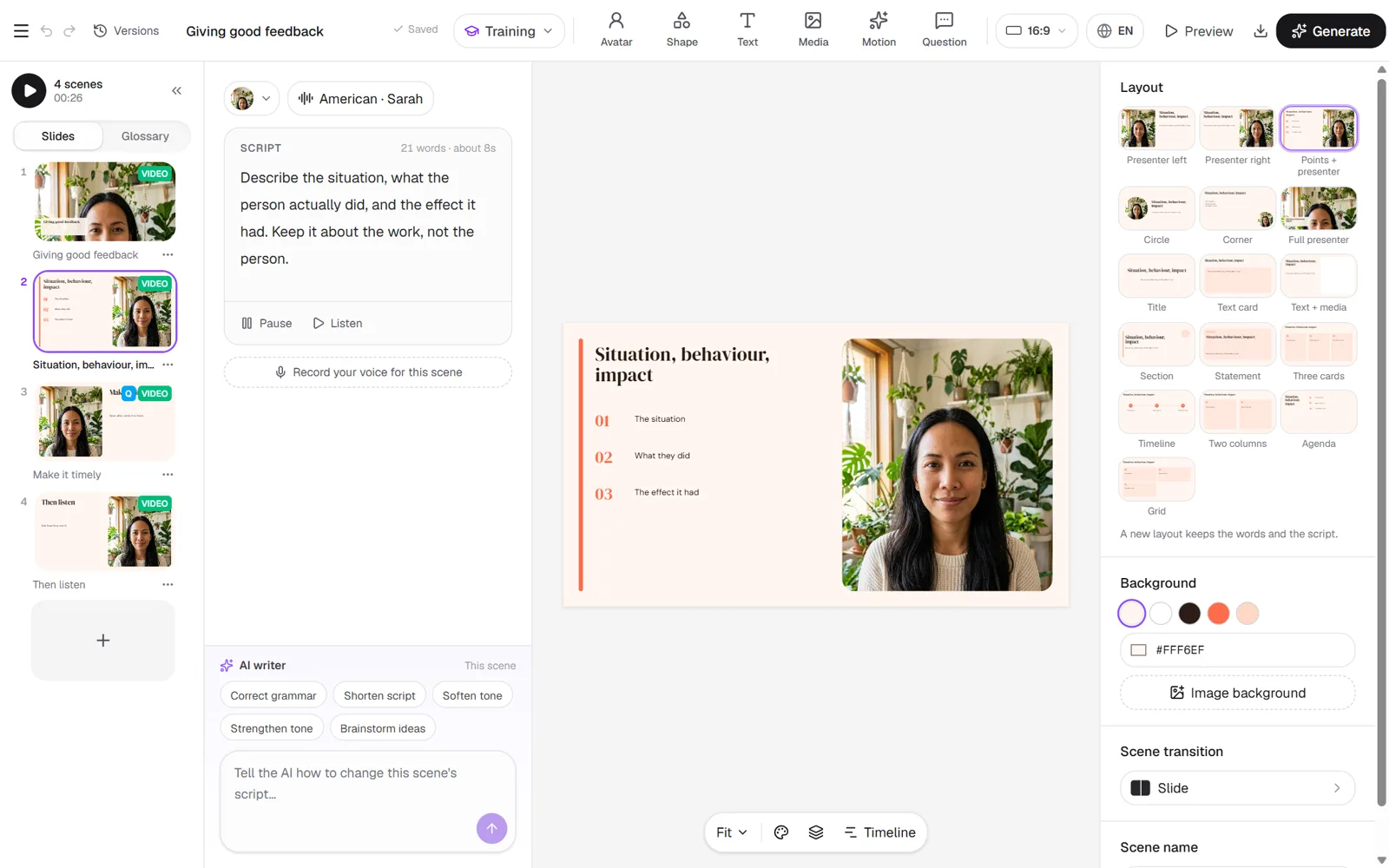
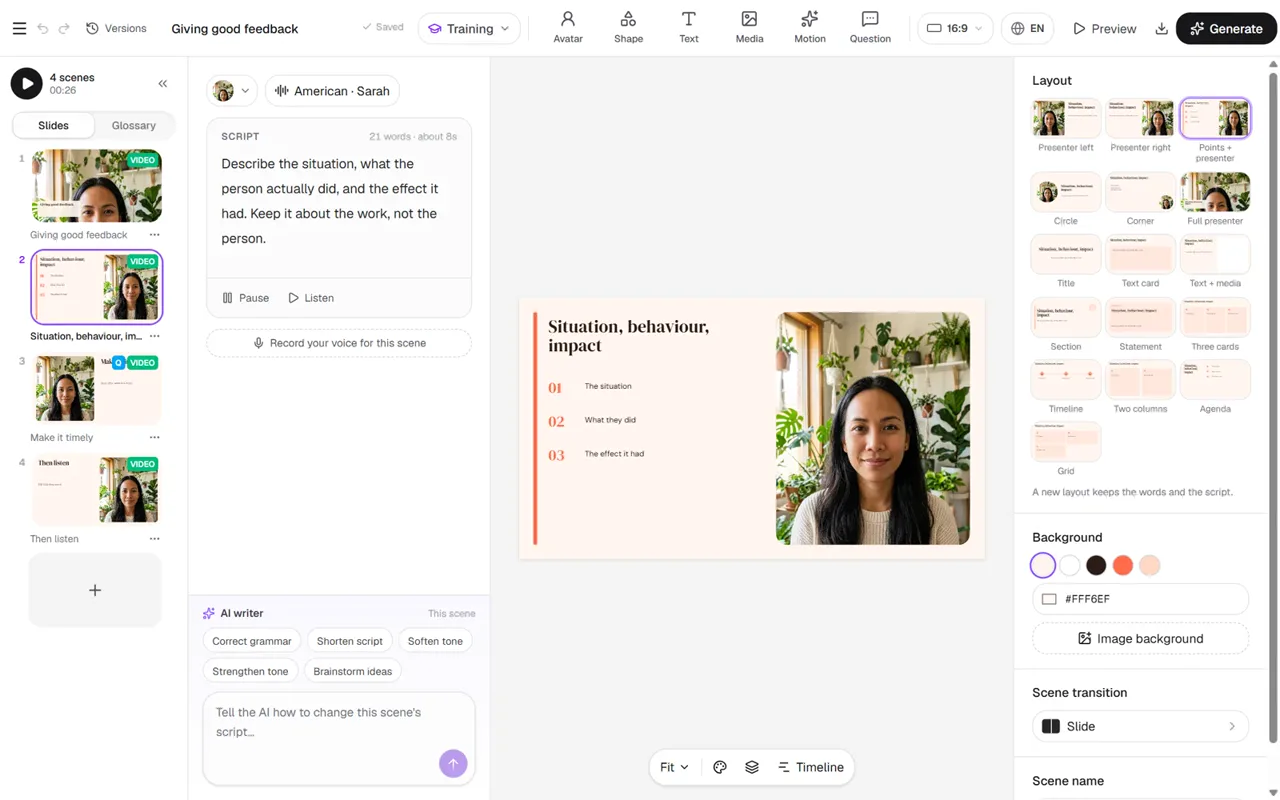
Author in the studio
Scenes on the left, presenter lines beside them, layouts and checkpoints on the slide.
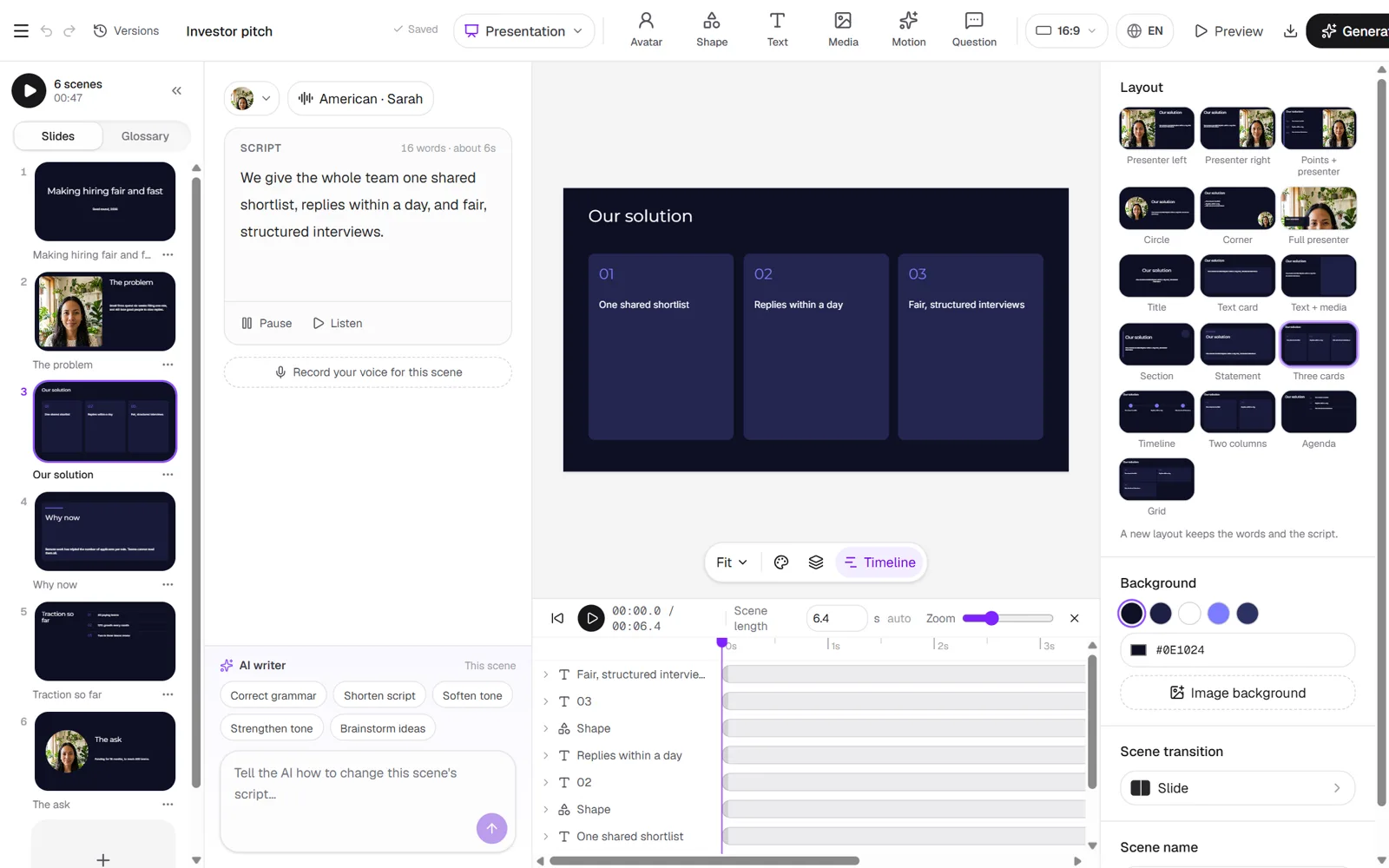
Motion on every slide
Keyframes on the timeline — move, scale and fade anything on the slide before you render.
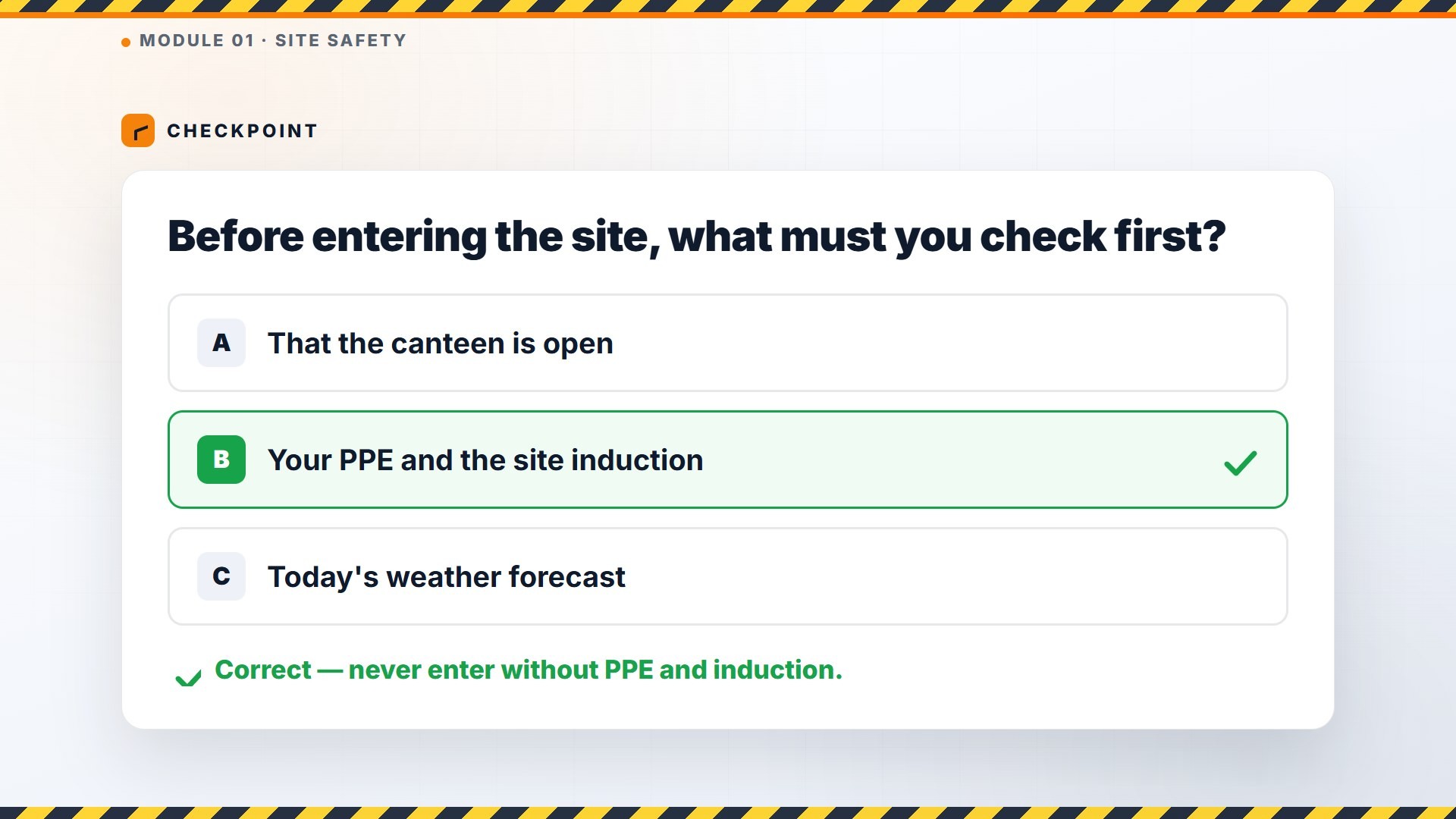
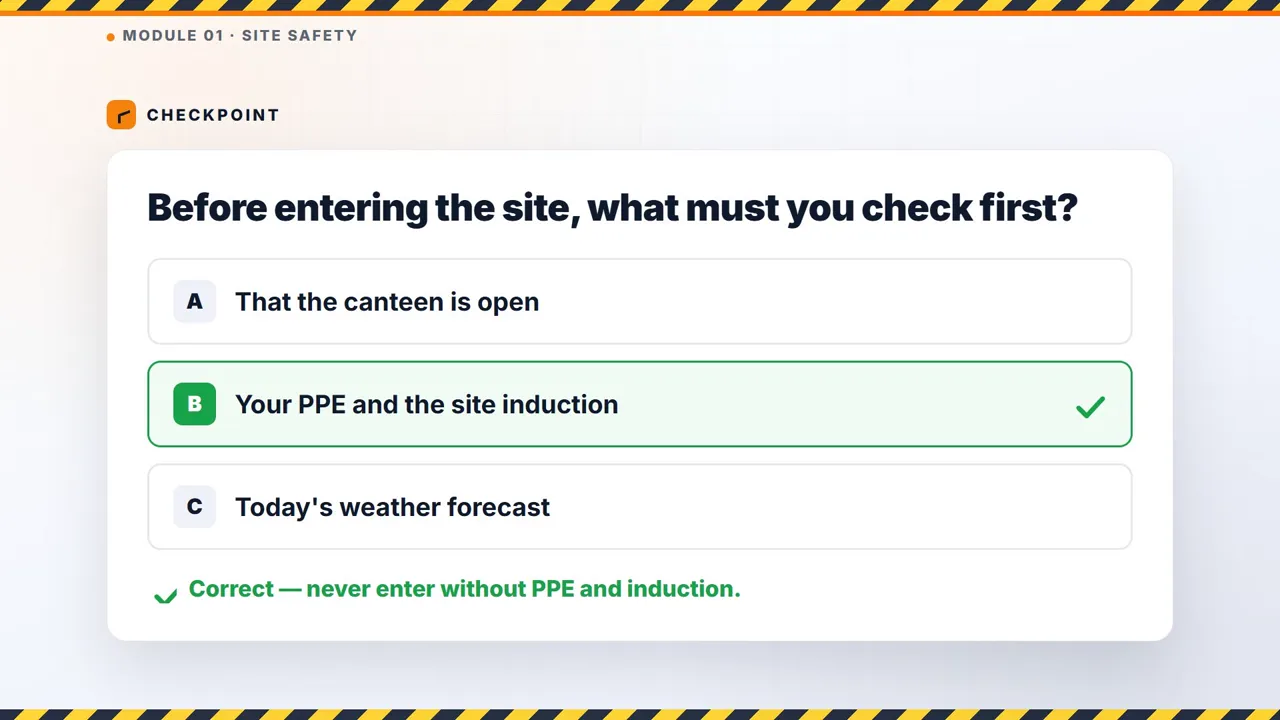
What learners see
Presenter-led slides, branching questions and a pass mark — the same player in your LMS or on a share link.
What you walk away with.
01Your team authors, in-house
L&D builds and updates its own modules on the platform, from the policy PDF or deck it already has. No agency, no production queue.
 02
Results you can report on
A pass mark and your own certificate, with every learner’s score and time on each page on your dashboard, or sent to your LMS or LRS.
 03
Every language, one module
A real render per language, not subtitles, so every site trains the same way.
Everything in training.
The platform your L&D team uses to build its own interactive training: presenter-led modules with branching questions, made from a brief or the documents you already have, delivered on your own website, by link or in your LMS.
Three steps, then it is yours.
- 1
Import your documents or write the objectives
One PDF, deck or Word file, or up to 100 at once. Reigniter lays out each module: sections, presenter lines and questions.
- 2
Author it in the training editor
Place questions on the slide, branch the answers, add presenter feedback, timers and the pass mark.
- 3
Deliver it and follow up
Share a link, put it on your own website or your-name.reigniter.ai, or export SCORM 1.2. Track every learner and issue your certificate.
Start from one of these.
Every example came out of Reigniter. Hover to play, open one to start from it.
Before you start.
And everything else it makes.
Every area shares the same brand kit, the same canvas and the same credits. Add the rest whenever you need it.





Run automated ad campaigns. Grow your ROI.
Open Explore, put your product and logo on the canvas, approve the frames. Every Generate shows its credit cost before you spend.