
Design the module. Score the answers. Issue your certificate.
Drop in a PDF, a deck or write the steps. You get a presenter-led module with questions on the slide, a pass mark you set, your own certificate, a share-link player, SCORM 1.2 for the LMS you already run, and a dashboard of every learner’s score and time on each page. A client admin can sign in read-only to their own people.
A real compliance module: numbered steps, presenter on camera, sound on, brand kit applied at render.
Steps in. Module out.
The same approve-before-you-pay storyboard as every other lane — tuned for numbered teaching.
Pick a presenter and write the steps
Choose from the library or upload a face with consent, then paste numbered steps — or import a PDF or deck and let Reigniter structure the scenes.
Approve every frame on the canvas
One storyboard frame per step. Change the wording, swap the presenter or restyle the slide before any video is paid for.
Render for video or your LMS
Export a finished MP4 with sound on, or on the Interactive Training plan package branching, quizzes and SCORM for the LMS you already run.
Turn your deck into a course, free
Free
One module of up to 5 steps, with questions and branching, voiced over your slides and shared by link.
On a plan
Interactive Training and Agency: full-length modules with a presenter, learner sign-in and records, certificates, SCORM 1.2 and xAPI.
Every account starts with 5 free credits and no card. A voiced step or slide uses about one credit, and the credits are shared: what one line uses, the others cannot. Free videos carry the watermark and have no presenter.
Modules teams actually finish
Phishing, privacy and policy — spoken, not emailed
Turn the annual security brief into a two-minute module with checkpoints. Presenter-led, on brand, and easy to re-render when the policy changes.
Onboarding that fits a shift pattern
Product knowledge, customer service and store procedures as numbered scenes a new hire can watch between customers — not a day in a classroom.
Clinical and care standards, step by step
Protocols and patient-facing guidance delivered by a consistent presenter, with your brand and terminology locked in across every module in the library.
Site inductions that stick
PPE, hazards and method statements as a module people watch on site — one step per scene, presenter speaking each instruction clearly.
Docs in. Trained team out.
Author in the studio, deliver to your LMS or with a share link — the supplier stack, not a one-off video export.
Docs in. Trained team out.
See the training platform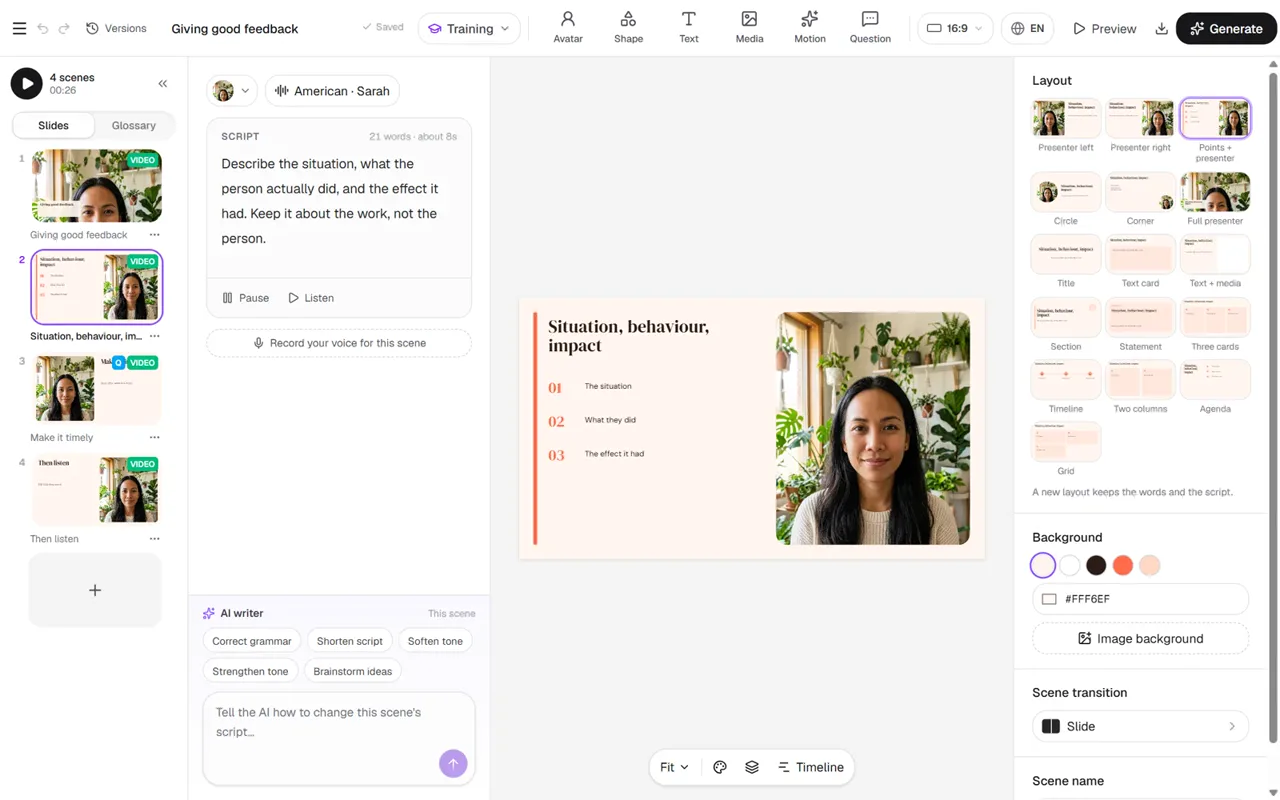
No LMS? You do not need one.
- Invite learners by name, or import them from a spreadsheet
- One attempt, a timer and a pass mark per module
- See who is watching right now, and every result
- Printable certificates, and results as CSV
The studio and the player are real product — not a mockup reel.
Screens from the training editor and a finished module your team would ship to learners.
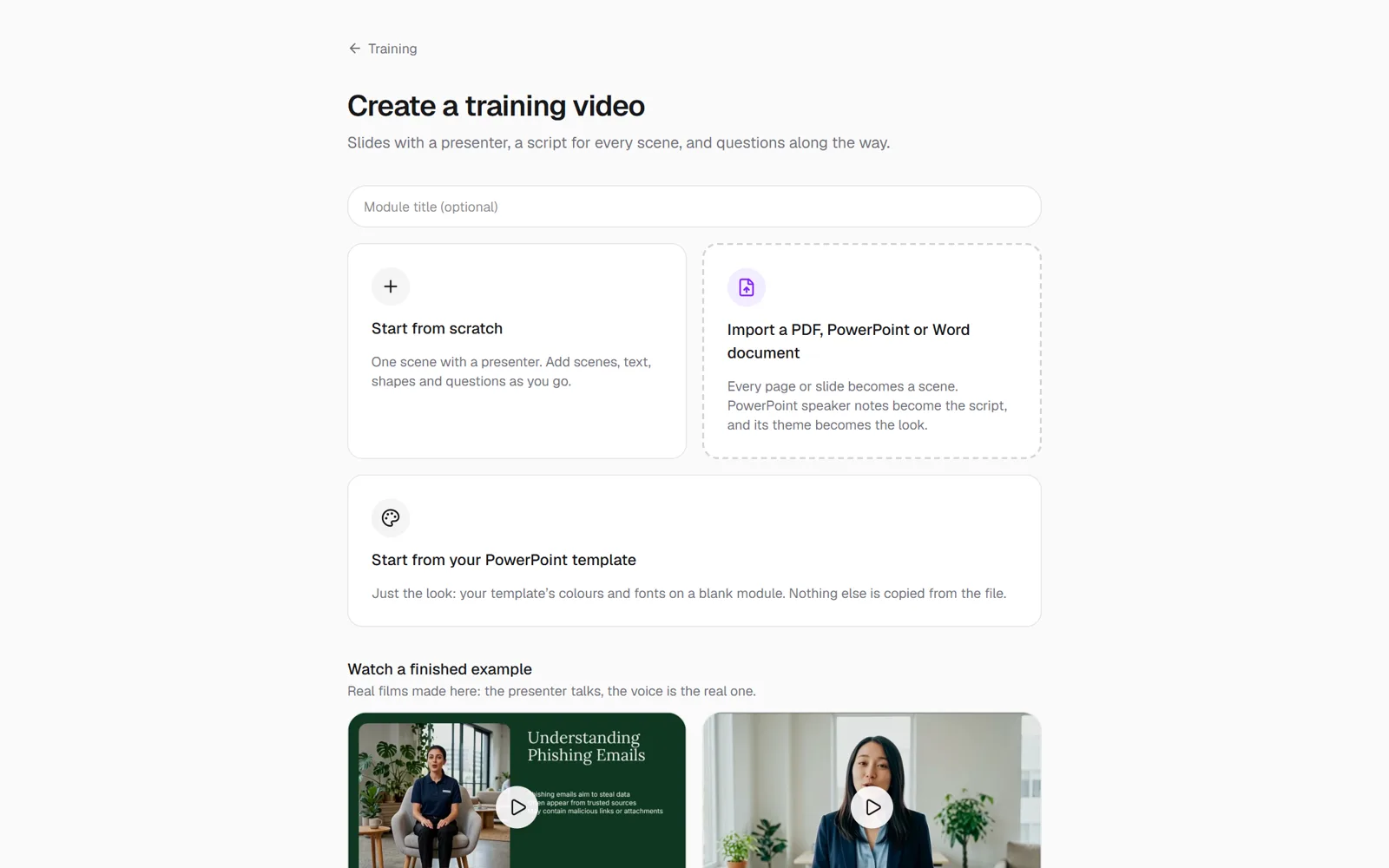
Start from your material
Import the PDF, deck or policy you already have, or lay out a module from scratch.
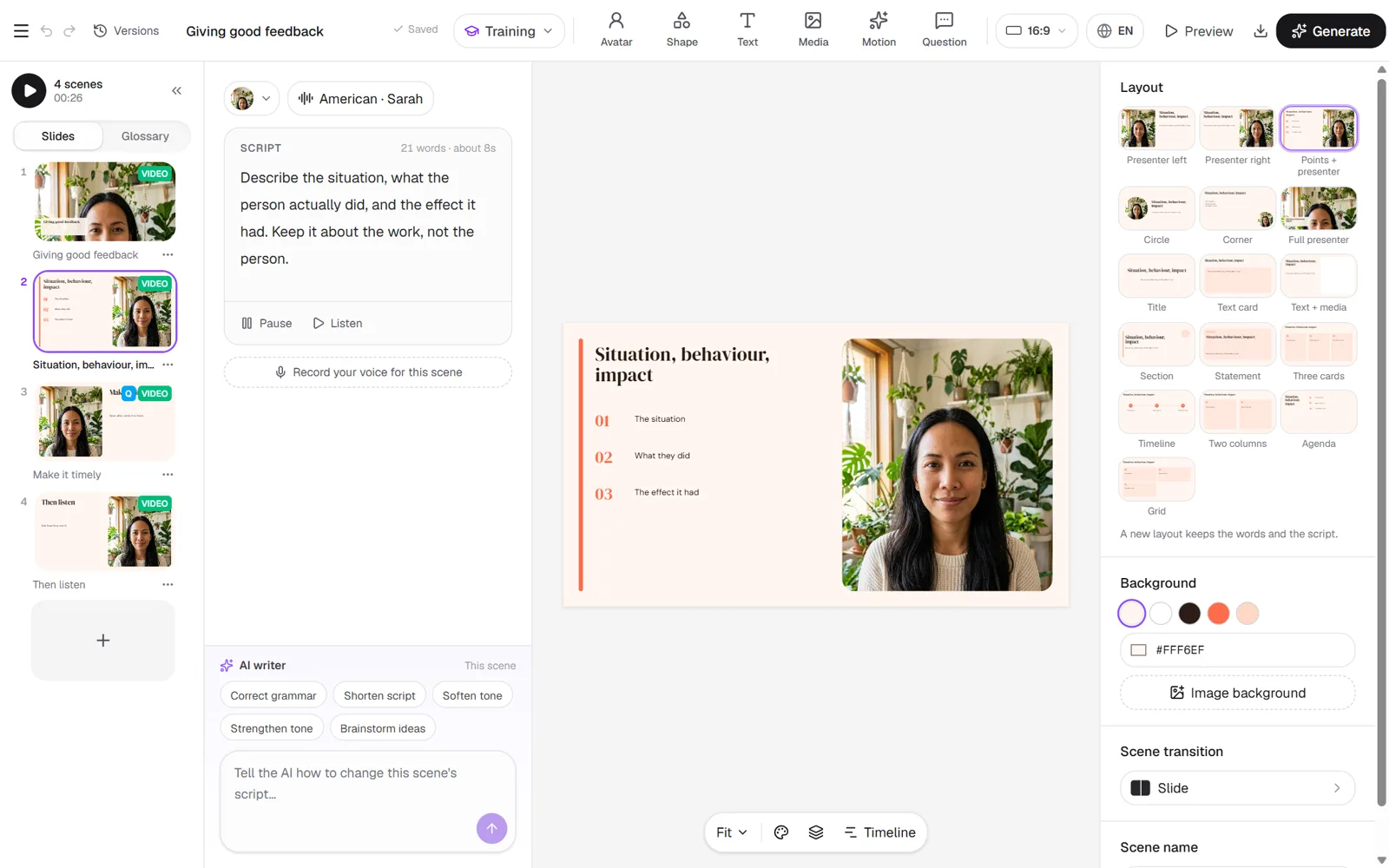
Author in the studio
Scenes on the left, presenter lines beside them, layouts and checkpoints on the slide.
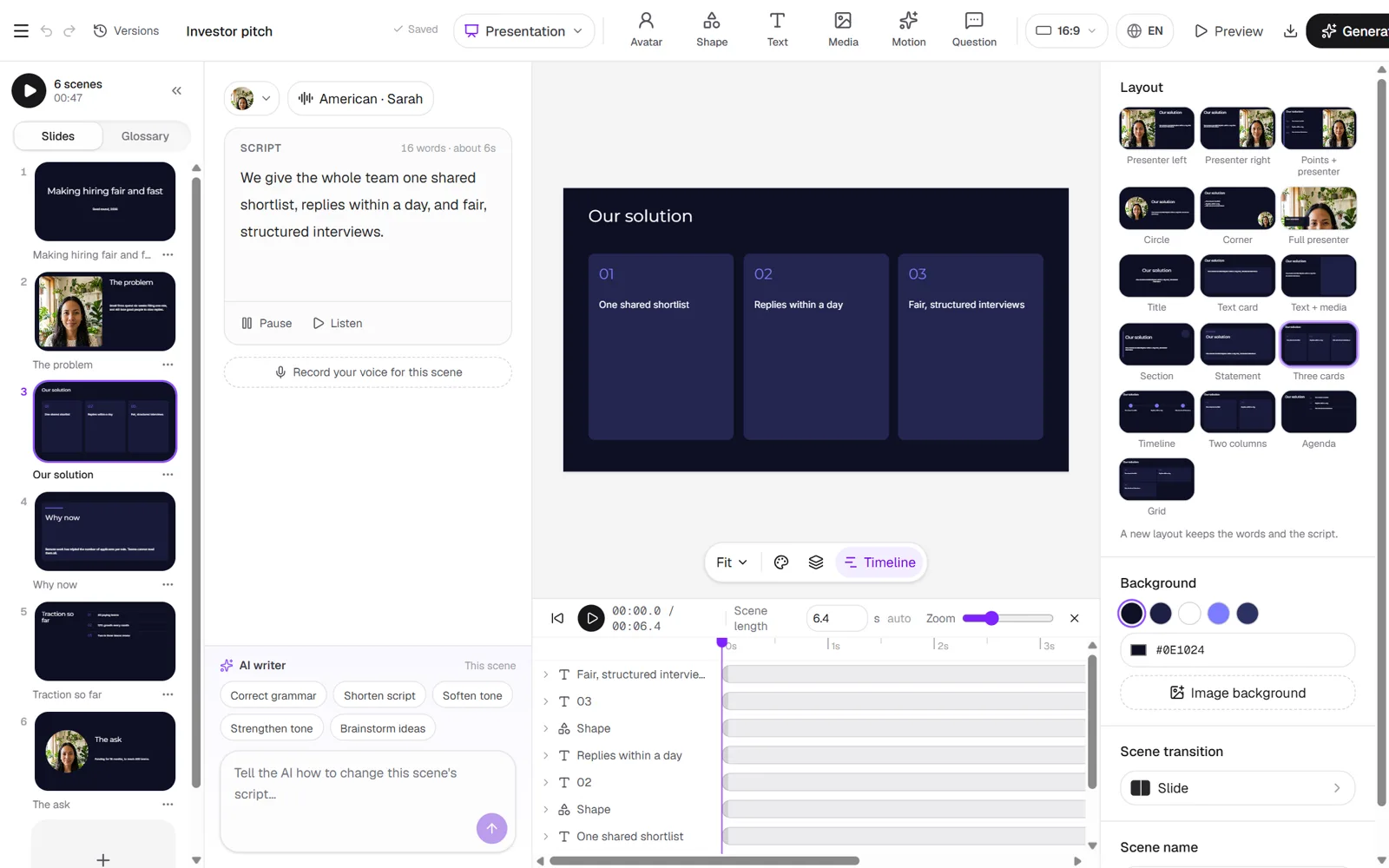
Motion on every slide
Keyframes on the timeline — move, scale and fade anything on the slide before you render.
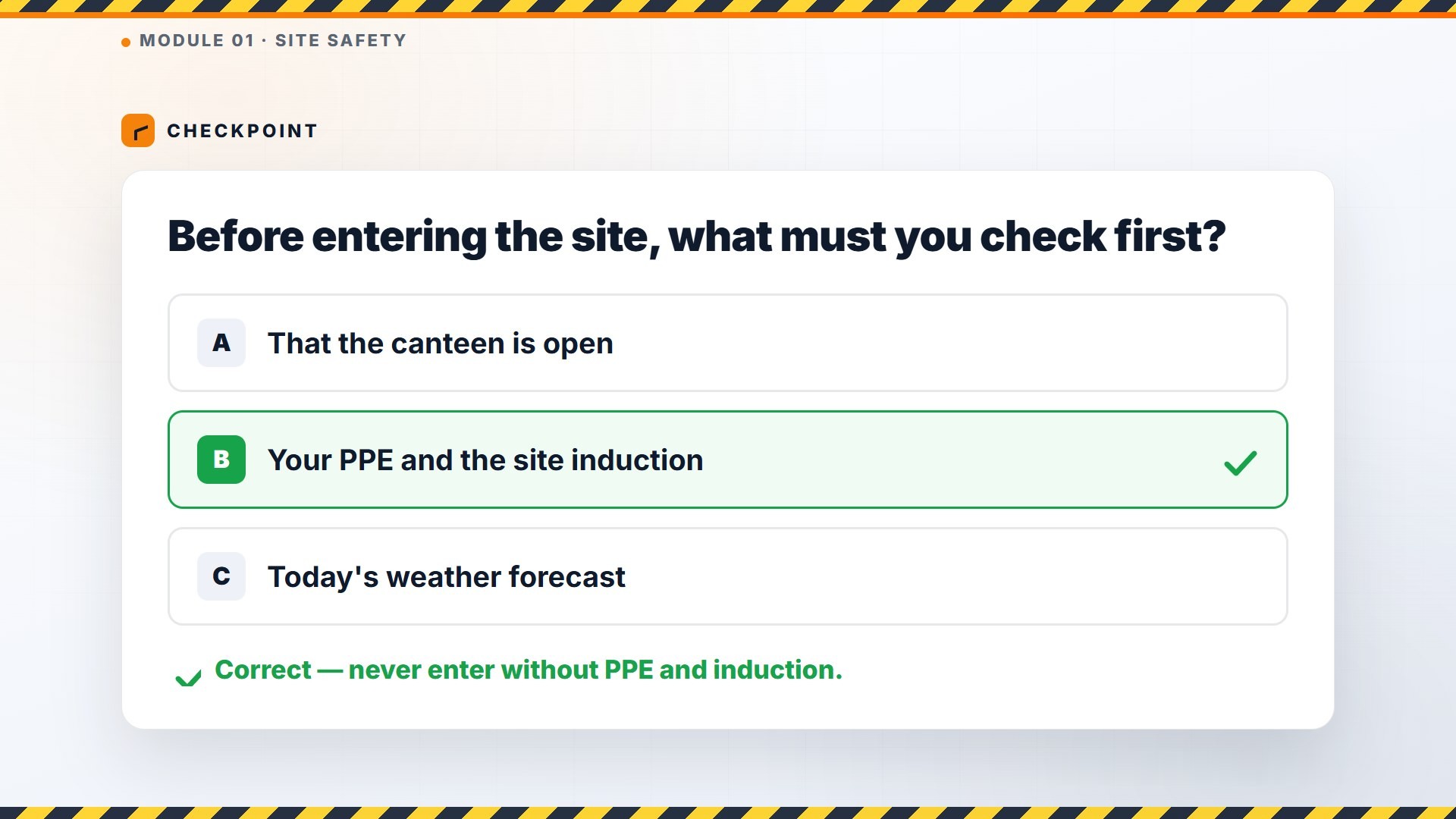
What learners see
Presenter-led slides, branching questions and a pass mark — the same player in your LMS or on a share link.
Built for libraries, not one-offs
You design the questions: a right answer moves on
a wrong one recaps
A pass issues your certificate
with a number and a public verify link
Share a link
put the course on your own site, or export SCORM 1.2
Dashboard of who started
who passed, scores and time on each page
Start from a document
The same document pipeline as PPT/PDF → video — your deck becomes scenes before you render.
SCORM & xAPI
Package for your LMS on the Interactive Training plan, or track attempts with share links and CSV results.
Named learners
Invite by spreadsheet, set a pass mark and timer, and see who completed — without buying another LMS seat.
Already have a deck? Document → video feeds the same studio — upload, edit scenes, then ship as training. For board-ready slide decks with a presenter, see Presentations.
Real training output from Reigniter
Hover any tile to play. Each is a finished module style, not a mockup.
Security awareness
Compliance
Onboarding
HR
Healthcare
Care
Retail
Frontline
Construction
Safety
The things people ask first
Yes. On Interactive Training and Agency you export a SCORM 1.2 package your LMS marks, or send xAPI statements to the LRS you already run. You can also send a share link and skip the LMS.
A pass issues your certificate, not ours: your logo, a signature, up to four accreditation badges and an expiry date, with a public verify link.
Yes. Invite a client admin and they sign in to the same dashboard, read-only, showing only their people and modules.
The free plan is a taste: stills and one short draft video scene, watermarked. Full modules, scoring, certificates and SCORM are on Interactive Training and Agency.
Build your first training module free.
Up to 5 steps with questions, voiced over your slides and shared by link. A presenter on camera comes with Interactive Training and Agency.
Start free